Radio Over The Air Software Version Update To 22.66 (08-229-22)
Reference number: 08-229-22
RADIO OVER THE AIR SOFTWARE VERSION UPDATE TO 22.66
TECHNICAL SERVICE BULLETIN
| CHRYSLER: | 2018 - 2019 (LA) Dodge Challenger, (LD) Dodge Charger, (LX) Chrysler 300, (DS) RAM 1500 Pickup, (DJ) RAM 2500 Pickup, (DD) RAM 3500 Cab Chassis, (DF) RAM 3500 <10K Cab Chassis, (DP) RAM 4500/5500 Cab Chassis, (RU) Chrysler Pacifica, (MP) Jeep Compass, (WD) Dodge Durango, (WK) Jeep Grand Cherokee; 2019 (DT) RAM 1500 Pickup; 2018 (BU) Jeep Renegade; 2019 (BV) Jeep Renegade; 2019 (KL) Jeep Cherokee |
| GROUP: | 08 - Electrical |
VEHICLES AFFECTED
2018 - 2019 (LA) Dodge Challenger
2018 - 2019 (LD) Dodge Charger
2018 - 2019 (LX) Chrysler 300
2018 - 2019 (DS) RAM 1500 Pickup
2018 - 2019 (DJ) RAM 2500 Pickup
2018 - 2019 (DD) RAM 3500 Cab Chassis
2018 - 2019 (DF) RAM 3500 <10K Cab Chassis
2018 - 2019 (DP) RAM 4500/5500 Cab Chassis
2018 - 2019 (RU) Chrysler Pacifica
2018 - 2019 (MP) Jeep Compass
2018 - 2019 (WD) Dodge Durango
2018 - 2019 (WK) Jeep Grand Cherokee
2019 (DT) RAM 1500 Pickup
2018 (BU) Jeep Renegade
2019 (BV) Jeep Renegade
2019 (KL) Jeep Cherokee
This bulletin applies to vehicles equipped with one of the following radios:
- Uconnect 4C NAV With 8.4 Display (Sales Codes UAQ, UCQ, UAV or UCV).
- Uconnect 4C With 8.4 Display (Sales Codes UAR, UCR, UAS or UCS).
CUSTOMER SYMPTOM
- Wi-Fi hotspot connection not working.
- No internet connection message on the phone when trying to connect to a device.
CAUSE
Radio Software
REPAIR SUMMARY
This bulletin provides information regarding the latest Firmware Over The Air (FOTA) update and provides the service technician an overview of the steps a customer will need to take to complete the update. The radio software will be updated from IR22.64 and IR22.65 to IR22.66. The national launch for the FOTA is expected to begin on January 09, 2023.
DISCUSSION
Vehicles can now receive software updates "over-the-air". Updates to software will occur in a phased roll-out.
The software is updated through the built-in cellular modem in the radio. Customers will see a notification on their radio screen when new software is available for their radio (Fig. 1) . The customer will have the option to update the radio or schedule the update for later. There is not an option to decline the update indefinitely, the update must be performed.
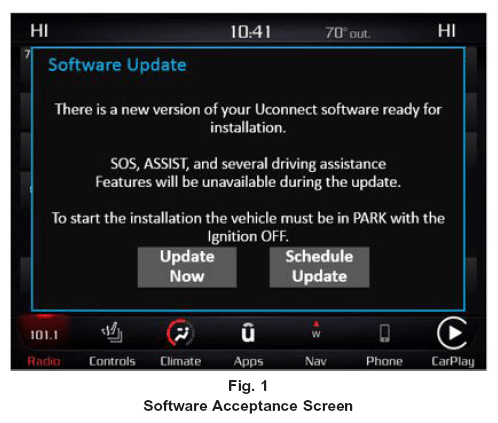
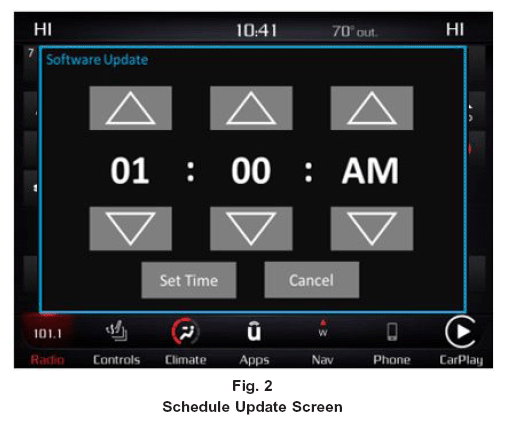
- The vehicle needs to be in the park position, or have the vehicle in neutral with parking brake engaged if equipped with a manual transmission. The ignition needs to be off.
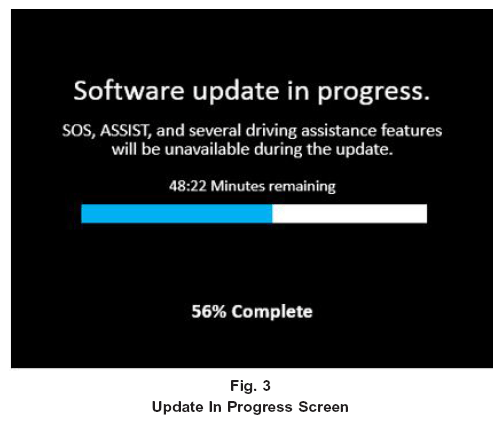
- Whether the customer selects "Update Now" or "Schedule Update" and sets a time, they can shut off the vehicle and leave. The update will be completed automatically (Fig. 3). NOTE: This phase may take several minutes to complete.
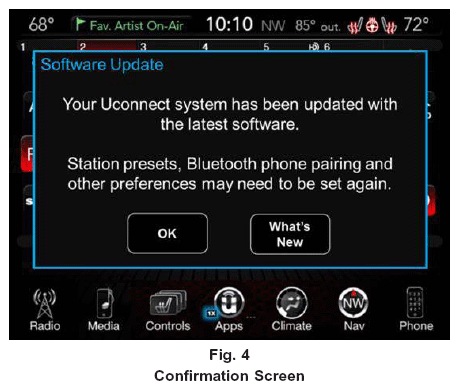
- Upon completion of update, the radio will display a confirmation message (Fig. 4).
POLICY
Information Only